
.png)
Description
Download Golfy Golf – Free Puzzle Golf Game, Simple Graphics, Brain‑Teasing Levels
Overview
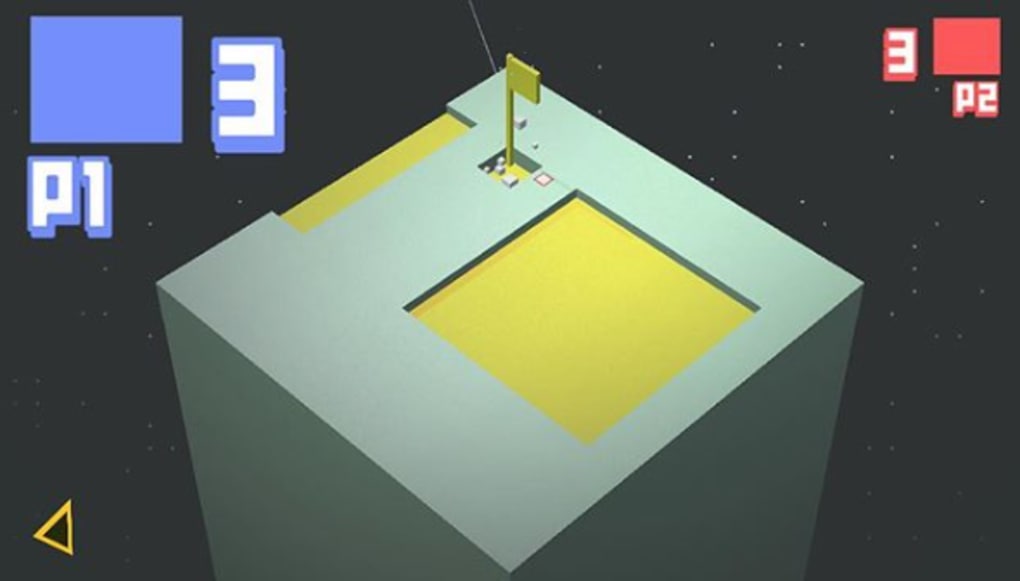
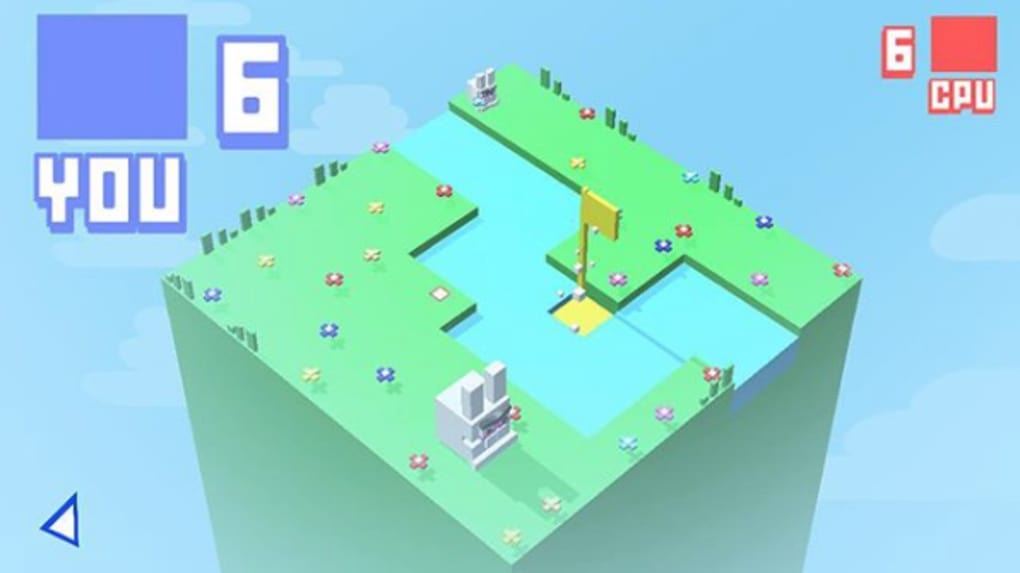
Golfy Golf is a free, minimalist puzzle‑game that blends the feel of a classic golf‑simulation with the cerebral challenge of a logic puzzle. Instead of realistic fairways, you control a disembodied putter that must guide a cube‑shaped ball into a square‑shaped hole using as few strokes as possible. The game’s visual style is intentionally sparse: blocky terrain, solid‑color obstacles, and a simple dotted line that shows the projected path of each shot. While the graphics may remind you of early 90‑second‑generation titles, the underlying mechanics are anything but simple. Each level introduces new hazards—water pools, moving blocks, teleport pads, and more—that demand careful planning and a solid grasp of geometry. The difficulty curve is gentle at first, allowing newcomers to master the “draw‑back‑and‑shoot” mechanic, then steadily ramps up to require multi‑step reasoning and foresight. Because every puzzle is self‑contained, you can play a single level in a few minutes or sit down for a marathon session and attempt to master all the courses. Golfy Golf is available for Windows, macOS, Android, and iOS, and it updates regularly with fresh challenges, keeping the experience fresh long after the initial download. Whether you’re a casual mobile player looking for a quick brain workout or a hardcore puzzle aficionado hunting for a new “one‑handed” challenge, Golfy Golf offers a rewarding blend of simplicity and depth that makes it worth a spot on your device.
Key Features & Gameplay Mechanics
- Minimalist block‑style graphics that keep the focus on puzzle solving.
- Intuitive draw‑back mechanic with a predictive dotted line for shot distance.
- Over 50 uniquely designed holes, each introducing new hazards and obstacles.
- Progressive difficulty that scales from beginner-friendly to expert‑level challenges.
- Cross‑platform availability: Windows, macOS, Android, and iOS.
- Free to download with optional in‑app purchases for cosmetic themes.
- Regular updates adding new levels, seasonal events, and community‑submitted puzzles.
- Offline play – no internet connection required after installation.
- Simple control scheme suitable for both touch screens and mouse/keyboard.
- Leaderboards that let you compare shot counts with friends and global players.
The core gameplay loop revolves around three steps: aim, draw back, and release. When you press on the screen (or click with the mouse), a line extends from the putter’s head to the ball, showing the exact trajectory and distance the ball will travel once released. This visual cue is essential for planning multi‑stroke solutions, especially when dealing with obstacles that require indirect routes. Levels are designed like miniature mazes; you may need to bounce the ball off walls, roll it over narrow bridges, or time your shot to avoid moving hazards. The game also includes “special tiles,” such as ice that slides the ball further than normal, or spring tiles that launch the ball at a higher angle. Mastery comes from learning how each tile behaves and combining them in clever ways. Because the graphics are intentionally simple, you can focus entirely on the logic behind each shot, making Golfy Golf an excellent training ground for spatial reasoning and problem‑solving skills. The inclusion of leaderboards adds a competitive edge, encouraging players to revisit levels and shave off extra strokes for a higher ranking.
Installation, Compatibility, and How to Play
Getting started with Golfy Golf is straightforward. On Windows or macOS, visit the official website or your preferred app store, click “Download,” and run the installer. The installer is signed and verified, ensuring a secure installation process free from unwanted bundled software. For Android users, the game is available on the Google Play Store; simply tap “Install” and the app will appear in your app drawer. iOS users can download it from the Apple App Store with a single tap. The file size is under 30 MB, making it a light addition even for devices with limited storage.
System Requirements:
• Windows 10 or later, 64‑bit
• macOS 10.13 High Sierra or later
• Android 5.0 Lollipop or newer, ARMv7 or x86 architecture
• iOS 12.0 or later, compatible with iPhone, iPad, and iPod Touch
Once installed, launch the app and you’ll be greeted by a short tutorial that explains the draw‑back mechanic and how to interpret the dotted trajectory line. The tutorial is interactive, allowing you to practice on a simple “practice hole” before moving on to the first real challenge. Controls differ slightly by platform: on touch devices, drag your finger backward from the ball to set power, then release; on PC, click and hold the left mouse button, pull back, and release. Keyboard users can also use the arrow keys to fine‑tune the angle and the space bar to shoot. After the tutorial, the main menu offers three options: “Play,” “Levels,” and “Settings.” “Play” sends you to the next unlocked hole, “Levels” lets you select any previously completed stage, and “Settings” provides options for sound, vibration, and visual themes. The game saves progress automatically, so you can pick up exactly where you left off, even after switching devices (provided you log in with the same account). Regular updates are delivered through the respective app stores, ensuring you always have the latest puzzles and performance improvements.
Pros, Cons, FAQ, and Final Verdict
Pros
- Free to download and play with no mandatory ads.
- Simple, intuitive controls that work across all major platforms.
- Deep puzzle design that scales well for both casual and hardcore players.
- Regular content updates keep the game fresh.
- Light on resources – runs smoothly on older hardware.
Cons
- Minimalist graphics may not appeal to players who prefer high‑fidelity visuals.
- Limited narrative or story elements; focus is purely on puzzles.
- No in‑game tutorial for advanced mechanics beyond the first level.
Frequently Asked Questions
Is Golfy Golf completely free, or are there hidden costs?
Golfy Golf is free to download and play. The core game, including all puzzles, is available without any purchase. Optional in‑app purchases only affect cosmetic themes and do not impact gameplay or provide a competitive advantage.
Can I play Golfy Golf offline?
Yes. After the initial download and any subsequent updates, the game can be played completely offline. No internet connection is required to access levels, solve puzzles, or view your saved progress.
How are new levels added?
The developers release periodic updates through the app stores. Each update adds a batch of new holes, seasonal challenges, or community‑submitted puzzles. Players are notified of updates automatically if they have auto‑update enabled.
Is there a way to sync my progress across devices?
Yes. By signing in with a Google, Apple, or custom account in the Settings menu, you can sync your progress and achievements across any device that runs Golfy Golf.
What makes Golfy Golf different from other puzzle games?
Its unique blend of golf‑style aiming with block‑based puzzle logic sets it apart. The predictive dotted line, combined with a growing variety of hazards, forces players to think several moves ahead, creating a deep, rewarding experience that feels fresh despite its simple visual style.
Conclusion & Call to Action
Golfy Golf proves that a game doesn’t need photorealistic graphics or elaborate storylines to be compelling. Its clean design, clever puzzles, and cross‑platform availability make it an excellent addition to any mobile or desktop library. If you enjoy brain‑teasing challenges that reward strategic planning, this free app is worth the download. Tap the button below to get Golfy Golf now and start mastering the art of the perfect putt—one minimalist stroke at a time.
Download Golfy Golf for FreeGolfy Golf delivers a surprisingly deep puzzle experience wrapped in a minimalist aesthetic. The intuitive controls, varied level design, and steady difficulty curve keep players engaged for hours. While the graphics are simple, they serve the purpose of focusing attention on strategy rather than visual flair. Minor drawbacks include the lack of a detailed tutorial for advanced mechanics and the absence of a storyline, but these are outweighed by the game's strengths. Overall, Golfy Golf earns a solid 4.5 out of 5 stars.
Guides & Tutorials for Golfy Golf
How to install Golfy Golf
- Click the Preview / Download button above.
- Once redirected, accept the terms and click Install.
- Wait for the Golfy Golf download to finish on your device.
How to use Golfy Golf
This software is primarily used for its core features described above. Open the app after installation to explore its capabilities.
User Reviews for Golfy Golf 0
No reviews found




